Browse all help topics below. Only one article opens at a time.
Find the next step quickly
Search the Help centre or open a topic below. The guidance focuses on what to do, what to expect and how to recover when something does not work.
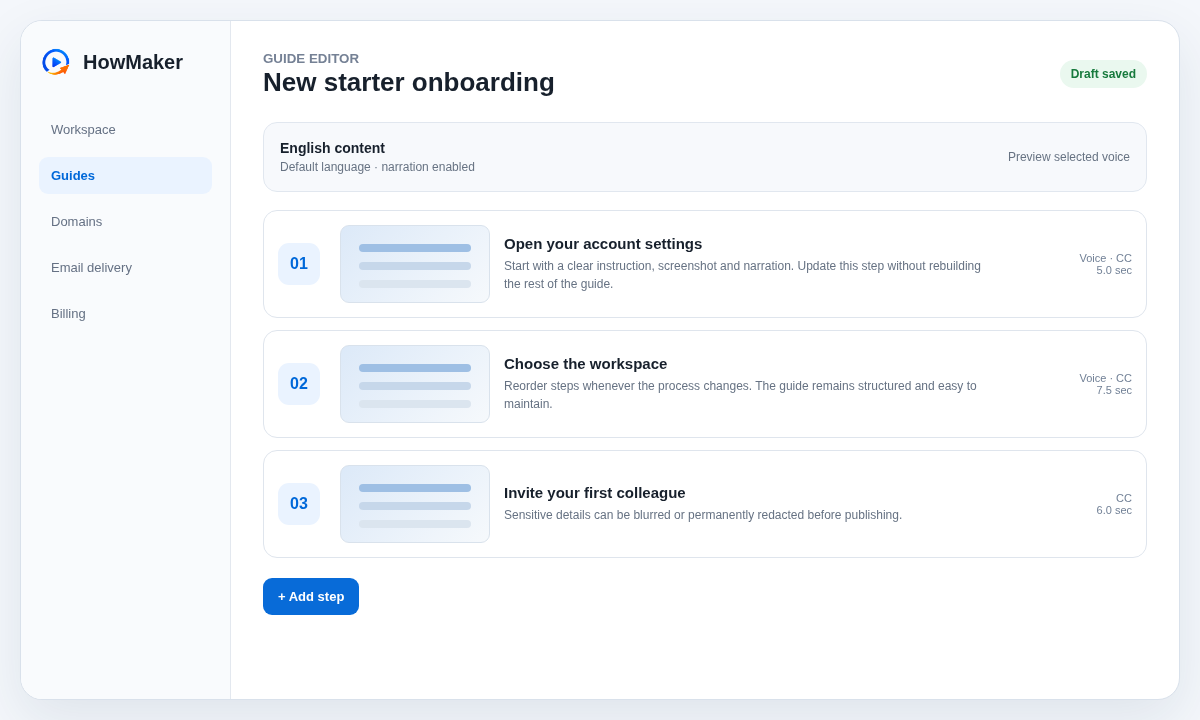
Getting started with your first guide
- Open Guides and create a guide.
- Add the steps in the order someone should follow them.
- Add screenshots and write the instruction for each step.
- Add narration and captions where useful.
- Preview using the same viewer path your audience will use.
- Publish when the saved version is ready.
Saving a step and knowing it worked
When you press Save step, HowMaker shows a visible Saving state, prevents duplicate clicks and then confirms Saved. If the save fails, the editor keeps your recoverable browser copy and shows a clear retry message rather than appearing to do nothing.
Adding, reordering and archiving guides
Create guides from the Guides page. Use Reorder inside a guide when the sequence changes. If your plan reaches its active-guide limit, archive an existing guide from the Guides list. Archived guides are retained, do not count towards the active limit and can be restored later if allowance is available.
Adding screenshots and protecting private information
Upload or drop PNG, JPEG or WebP screenshots onto the relevant step. Use blur to obscure readable detail while leaving context visible. Use permanent redaction when the original visual information must be removed.
Writing narration and adding pauses
Write narration in the selected language. Use | for a short pause, || for roughly twice that pause and more markers for longer pauses. The marker is not spoken. Preview narration uses the same pause handling as final playback.
Choosing and previewing a voice
The voice selector includes the built-in HowMaker narration and any permitted configured provider voices. Provider previews use the same fixed sample sentence so you can compare pronunciation and tone fairly. Identical paid previews are cached to reduce unnecessary provider calls.
Adding languages and keeping them current
Add an enabled language from the guide language controls. The source language remains the reference. Translate the guide metadata and individual step content, then preview that language before publishing.
Previewing exactly what a viewer sees
Preview uses the same viewer and access checks as the published guide while showing the current saved draft. Test language selection, captions, narration and any passcode or email gate before publishing.
Publishing and using a custom domain
Choose the guide access mode, save the settings and publish a version. Supported plans can connect a custom hostname. Follow the CNAME and ownership instructions shown in Domains and wait for HowMaker to confirm DNS and HTTPS readiness.
Using customer email delivery
The Email page shows the available delivery methods for the organisation. Where customer SMTP is allowed, test the connection before relying on it. Platform account verification and owner invitations use the separate Platform Email configuration managed by the platform administrator.
Resending account verification or an owner invitation
A user with an unverified public signup can request a fresh verification message from the sign-in area. Platform administrators can resend a pending customer-owner invitation from the organisation record. Platform Email also provides a Send test to me action so the administrator can verify real delivery and formatting.
Managing version history and storage
Published changes create versions according to the plan's retention rules. HowMaker reuses unchanged assets where practical rather than duplicating them unnecessarily.
When something looks stuck
Look for the visible save or delivery status first. Do not repeat a submit action while HowMaker shows it is working. If an operation fails, use the displayed reason or Platform System Health and provider tests to diagnose the underlying service.
Need human assistance?
Contact your HowMaker support provider. Platform administrators enter a clearly marked, audit-logged support context when they need to inspect an organisation.